segments non updated in TM during "update main TM task"

Hello,

I don't know why some segments in all languages do not enter in the TM during the updating process. I tried to create a new project just with the sentences I need but no success.

The example below:

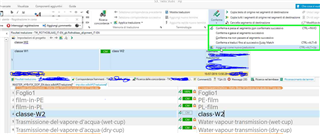
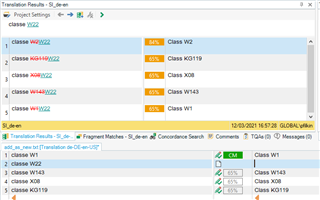
I my TM (in this case IT>FR) i have the segment "classe W1", in my project I have "classe W2", with pretranslating task the "classe W2" is automatically translated as CM, and that's ok, even if i cannot understand why in the TM view i see"classe W1" and the relative (wrong) translation "classe W2" (see pic below)
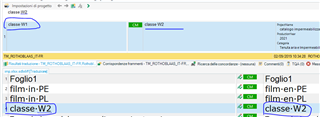
Trados Studio screenshot showing the translation memory view with the segment 'classe W1' highlighted, and the incorrect automatic translation 'classe W2' displayed.

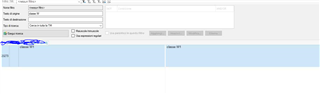
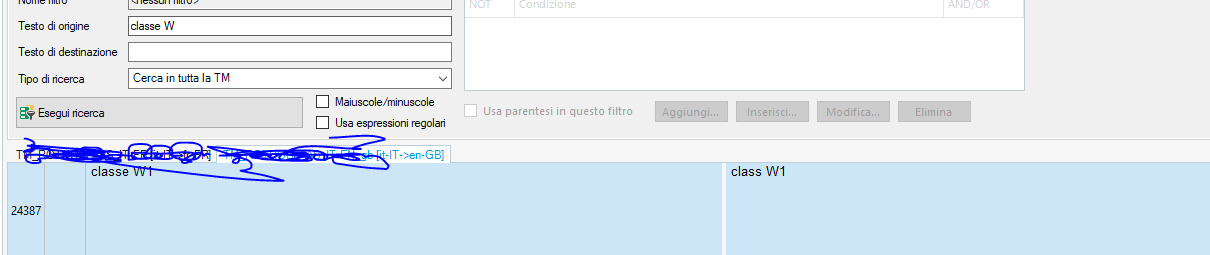
Then I updated the TM and if I open the TM and search "classe W" i just find the "classe W1" solution (in this case correctly).
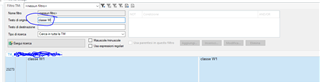
Trados Studio screenshot of the TM search window with 'classe W' entered in the search field, highlighting that only 'classe W1' appears in the search results.

Why is "classe W2" not in TM? I need to have this as the TM is connected to our CMS where the sentence is.

Thanks in adavance

Sarah


Generated Image Alt-Text
[edited by: Trados AI at 1:32 AM (GMT 0) on 29 Feb 2024]

emoji
Parents Reply
  • in our CMS we just have the sentence "Class W2" and when it search in the translation , no results are available

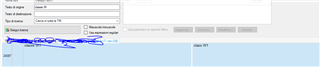
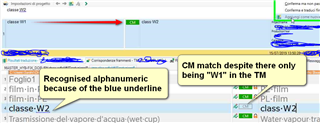
    If you search the TM in the TM editor you won't find it.  But if you pre-translate from that TM or use it while translating then it will always be there.  As you can see:

    Screenshot of Trados Studio showing a CM match for 'Class W2' despite only 'W1' being in the translation memory, indicated by a blue underline.

    Why exactly do you need to have this in your TM so you are not using the features of the TM and are going to be adding dumb text that Studio will not be able to reuse for your benefit?  For example:

    Toorrow you get this:

    classe Y56

    classe G32

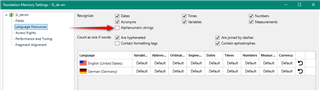
    Both of these will be recognised 100% or CM matches without you having to add them at all.  If you switch all the recognition off you'll get a fuzzy match on them both and have to pay (time/money) for the corrections and also deal with custom QA checks looking for and validating the correct use of these alphanumerics.

    Paul Filkin | RWS

    Design your own training!
    You've done the courses and still need to go a little further, or still not clear? 
    Tell us what you need in our Community Solutions Hub

    emoji


    Generated Image Alt-Text
    [edited by: Trados AI at 1:33 AM (GMT 0) on 29 Feb 2024]

Children