segments non updated in TM during "update main TM task"

Hello,

I don't know why some segments in all languages do not enter in the TM during the updating process. I tried to create a new project just with the sentences I need but no success.

The example below:

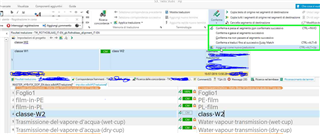
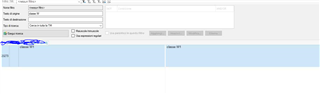
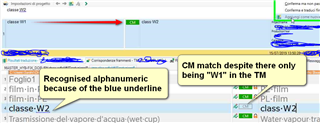
I my TM (in this case IT>FR) i have the segment "classe W1", in my project I have "classe W2", with pretranslating task the "classe W2" is automatically translated as CM, and that's ok, even if i cannot understand why in the TM view i see"classe W1" and the relative (wrong) translation "classe W2" (see pic below)
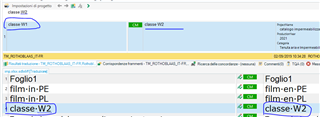
Trados Studio screenshot showing the translation memory view with the segment 'classe W1' highlighted, and the incorrect automatic translation 'classe W2' displayed.

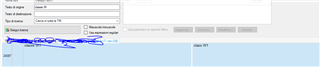
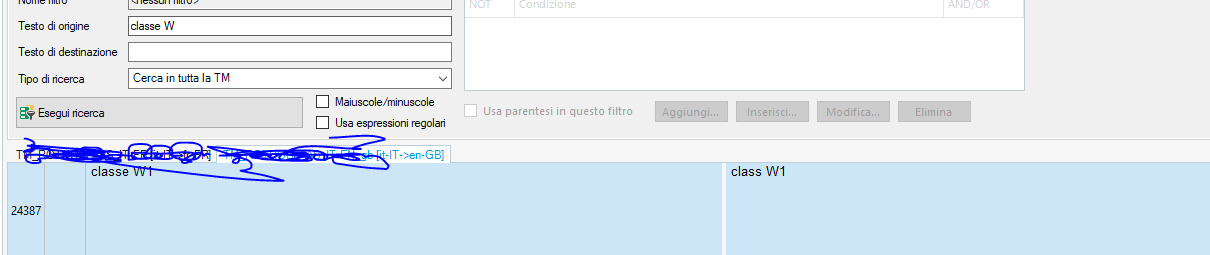
Then I updated the TM and if I open the TM and search "classe W" i just find the "classe W1" solution (in this case correctly).
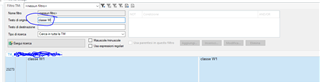
Trados Studio screenshot of the TM search window with 'classe W' entered in the search field, highlighting that only 'classe W1' appears in the search results.

Why is "classe W2" not in TM? I need to have this as the TM is connected to our CMS where the sentence is.

Thanks in adavance

Sarah


Generated Image Alt-Text
[edited by: Trados AI at 1:32 AM (GMT 0) on 29 Feb 2024]

emoji
Parents Reply
  • ok.  So I created a small test and using default settings with a clean TM I translate as follows:

    Screenshot of Trados Studio showing a clean Translation Memory with default settings and expected translations.

    All as expected and only this in the TM:

    Empty Translation Memory in Trados Studio after disabling Alphanumerics, indicating no translations stored.

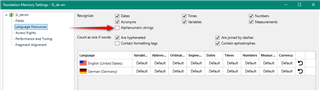
    So, now I disable Alphanumerics in the TM:

    Trados Studio settings window with Alphanumerics option disabled, highlighted by a red arrow.

    I then go back and work on the file... now I have to do this sort of thing:

    Trados Studio Translation Memory displaying a messy result with multiple entries for the same alphanumeric string.

    Getting me this in the TM:

    Translation Memory in Trados Studio showing duplicate entries for alphanumeric strings after reworking the file.

    Bit of a mess... 

    you add as a new TU whenever you come across a match that is not based on an exact copy of what's in the TM, OR

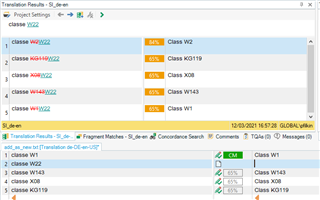
    I found the same problem as you here.  Looks like the alphanumerics overrides this... probably because you are essentially duplicating the TU as far as Studio is concerned and it won't allow this.  So you have to disable the recognition in the TM and then you actually won't have to do it anyway.  But you will end up with this sort of thing for new alphanumerics:

    Trados Studio translation results window showing multiple 65% match entries for alphanumeric strings, indicating a recognition issue.

    I suppose it all depends on who this is going to inconvenience the most!

    Paul Filkin | RWS

    Design your own training!
    You've done the courses and still need to go a little further, or still not clear? 
    Tell us what you need in our Community Solutions Hub

    emoji


    Generated Image Alt-Text
    [edited by: Trados AI at 1:33 AM (GMT 0) on 29 Feb 2024]

Children
No Data