


RWS Community
RWS Community
  • Site

Trados Go

Trados Studio

Trados Ignite

Trados Team

Trados Accelerate

Trados Enterprise

Trados GroupShare

Passolo

MultiTerm

RWS AppStore

Connectors

Beta Groups

Managed Translation

MultiTrans

TMS

Trados Enterprise

WorldServer

Language Weaver

Language Weaver Edge

Language Weaver Connectors

Language Weaver in Trados Studio


Content Champions

Tridion Docs

Tridion Sites

Contenta

LiveContent

XPP

Trados Cloud

Trados Studio Ideas

Trados GroupShare Ideas

Trados Team Terminology Ideas

MultiTerm Ideas

Passolo Ideas

RWS Appstore Ideas

Tridion Docs Ideas

Tridion Sites Ideas

Language Weaver Ideas

Language Weaver Edge Ideas

Managed Translation - Enterprise Ideas

TMS Ideas

WorldServer Ideas

Trados Enterprise Ideas

XPP Ideas

GroupShare Developers

Language Cloud Developers

MultiTerm Developers

Passolo Developers

Trados Studio Developers

Managed Translation Developers

TMS Developers

WorldServer Developers

Tridion Docs Developers

XPP Developers

Language Combinations by Language Services

RWS Training & Certification

Style Guides

Content Management Partners

LDE Korean Vendor Support

RWS Campus

Trados Approved Trainers

Nordic Tridion Docs User Group

Recognition & Reward System

RWS Community Platform Related Questions

Community Solutions Hub (Trados)

About RWS

Events

RWS Services: Train AI & others

RWS Training & Certification

To RWS Support

  • Search
  • Translate

    Detecting language please wait for.......


    Powered by
  • User
  • Site
  • Search
  • User
  • Products
  • Trados Portfolio
  • Trados Studio
  • More
  • Cancel
Trados Studio
  • Products
  • Trados Portfolio
  • Trados Studio
  • More
  • Cancel

Trados Studio > Customer Experience

02.2 Installation for Trados and Multiterm
  • Home
  • Forums
  • Product Updates
  • Blogs
  • Wiki
  • Training
  • Release info
  • Trados Studio Leaders
  • More
  • Cancel
  • New
Show Translation Options

Detecting language please wait for.......


Powered by
Trados Studio requires membership for participation - click to join
  • -Customer Experience
    • +01. How to start a Trados Freelance or Trados Go subscription
    • -02. Trados Freelance
      • 02.1 Sign up instructions - Trados Freelance
      • 02.2 Installation for Trados and Multiterm
      • 02.3 Setting up your personal profile
      • 02.4 How to activate your Trados Freelance subscription
      • 02.5 How to reset your Trados Freelance subscription
      • 02.6 How to change your Trados Freelance subscription plan
      • 02.7 How to renew your Freelance subscription
    • +03. Trados Go
    • +04. Studio perpetual license
    • 05. Trados Support resources
    • +06. Licensing and Installation
    • +07. Trados Studio 2024 (Trados Cloud Capabilities)
    • How to: use Glossary Converter
  • +RWS Support Team wiki
  • +Support & Maintenance
  • +Trados Subject Matter Experts

02.2 Installation for Trados and Multiterm

Trados Freelance and Multiterm are simple to install and require just a few clicks.

PLEASE NOTE: You must have ADMINISTRATOR rights to install Trados/MultiTerm

Please note the screenshots are for illustrative purpose only, they are not taken from your RWS account specifically.

In your RWS Account Portal go to DOWNLOADS and you can download the installers:
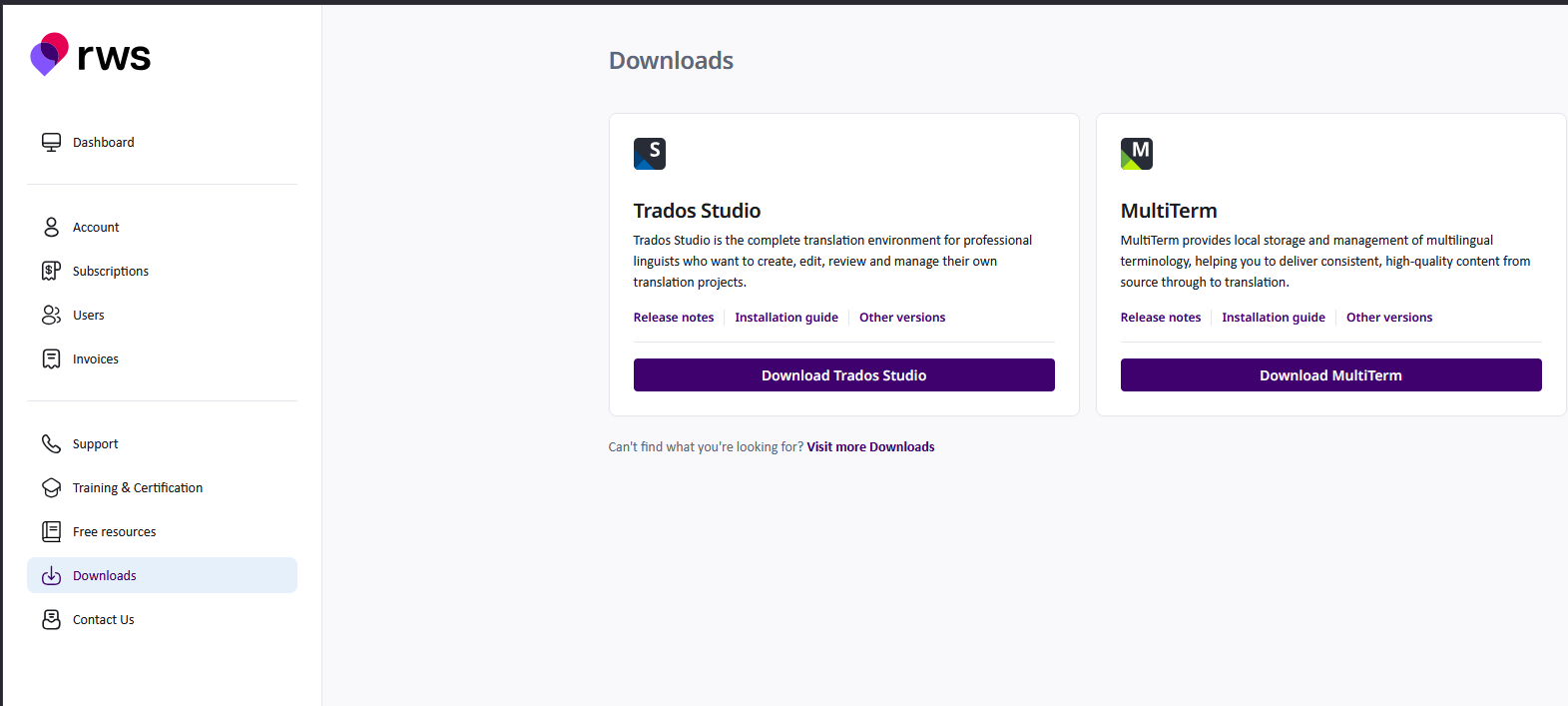
The executable file will be downloaded, just make sure your browser and your antivirus do not block .exe files. Some browsers will prevent executable files from running directly from the Downloads' folder as an additional security measure, so you may need to save the installer somewhere else first (perhaps on your desktop). Once downloaded, simply double click the installer to begin the installation.

When requested, if you want the applications to make changes to the computer, click YES and Accept

Accept the License agreement
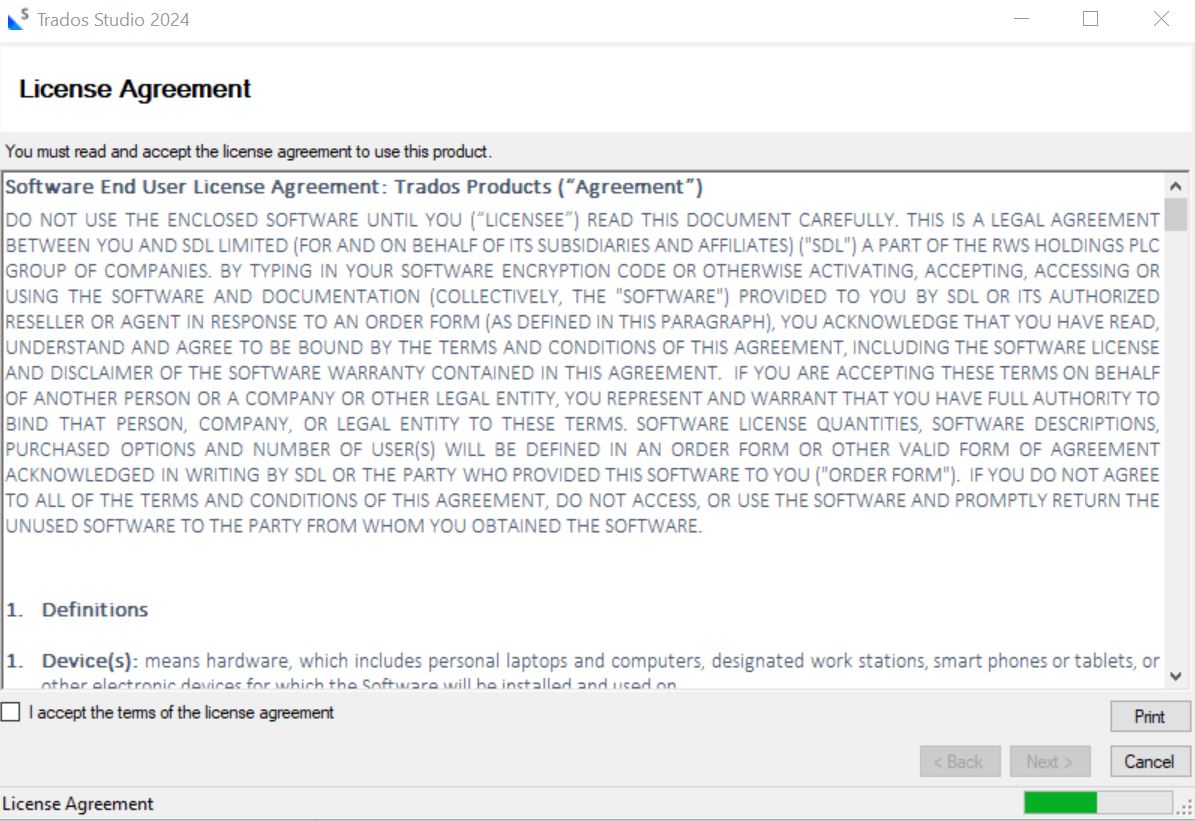
Trados will automatically install to your default (C:/ drive). The application will now begin the installation (this will take a couple of minutes).
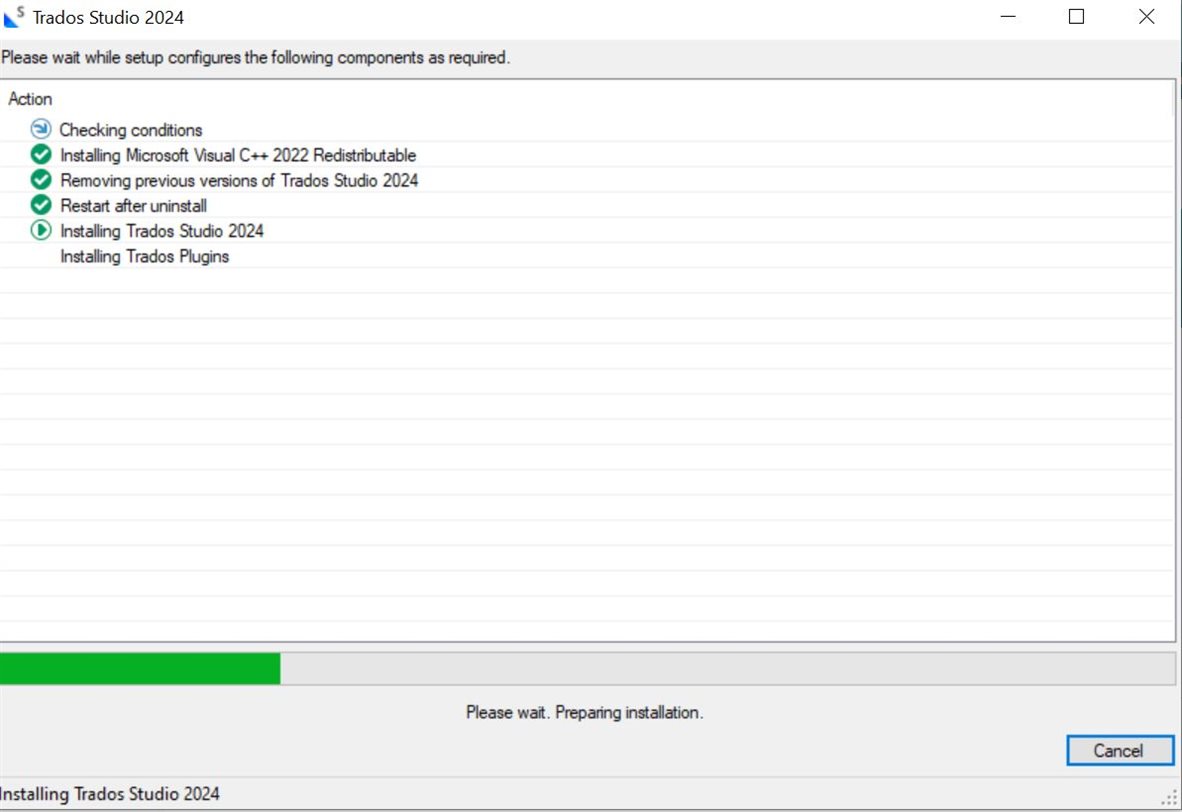
Congratulations, you have now successfully installed Trados 2024. You can proceed installing Multiterm as well, following similar steps of installation.

  • Share
  • History
  • More
  • Cancel
  • Sign in to reply
Related
Recommended
  • Our Terms of Use
  • Copyright
  • Privacy
  • Security
  • Anti-slavery Statement
  • Cookie Notice
  • YouTube